How To Start

Everything a new pilot needs before taking the first Northwind release.

If you know nothing when you open this page, you should leave knowing how to join, how the board works, what every Pilot Ops tab does, how to complete a route correctly, and how progression opens the rest of the company.

New Pilot Brief

Join the company, understand the board, then start flying with purpose.

Northwind is built around shared aircraft, earned progression, and dispatch-led flying. The goal is not to guess what to do next. The goal is to know exactly where to go, what to click, and how your next completed sector moves you forward.

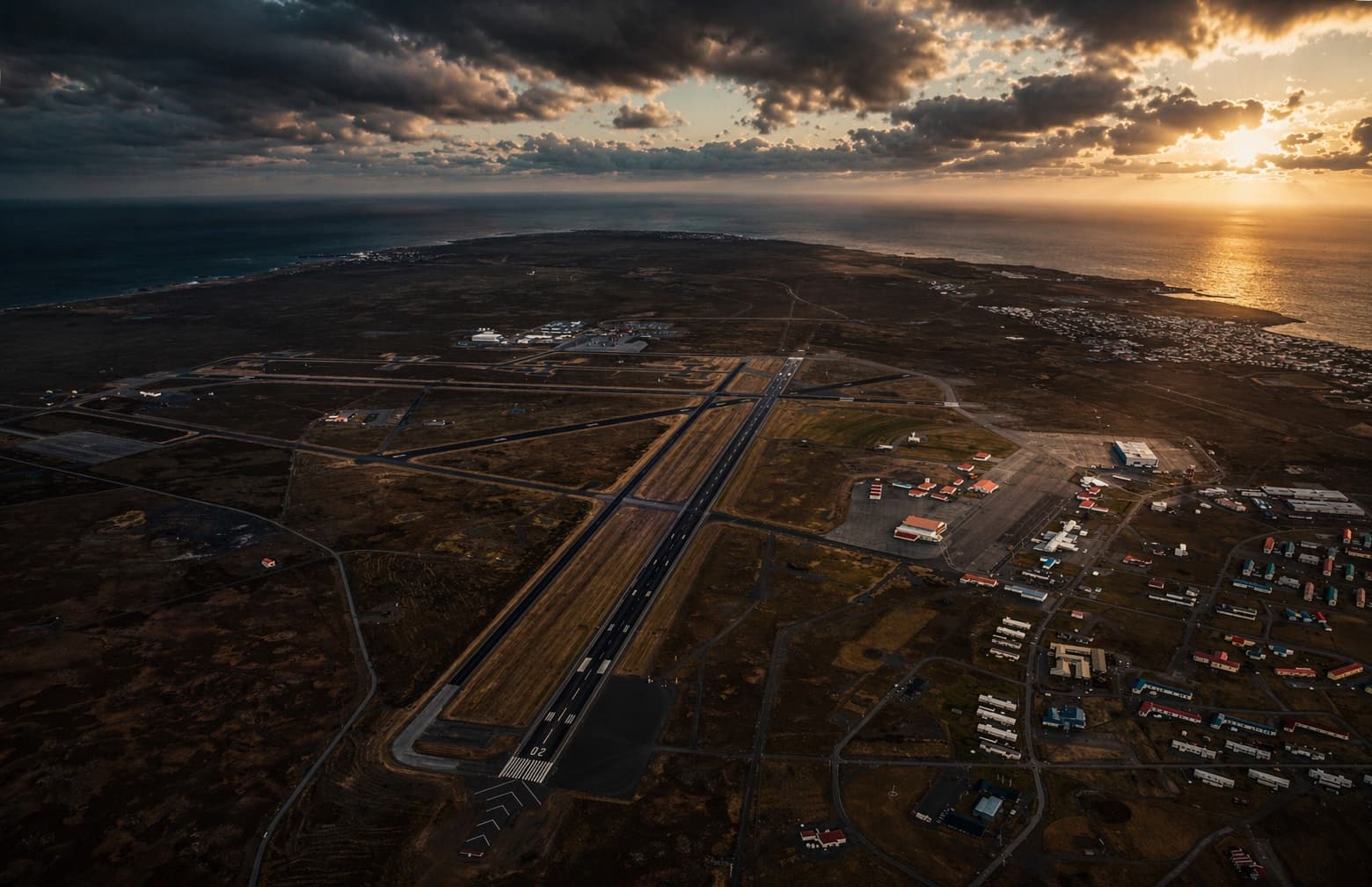
Keflavik International Airport apron reference
Keflavik is where your line begins, and where most days are trying to end.

What you need before joining

  • A valid email address for your Northwind login.
  • A password you can keep for Pilot Ops access.
  • Your VATSIM username or ID exactly as you use it.
  • Your simulator choice: X-Plane 11, X-Plane 12, MSFS 2020, MSFS 2024, or Prepar3D.
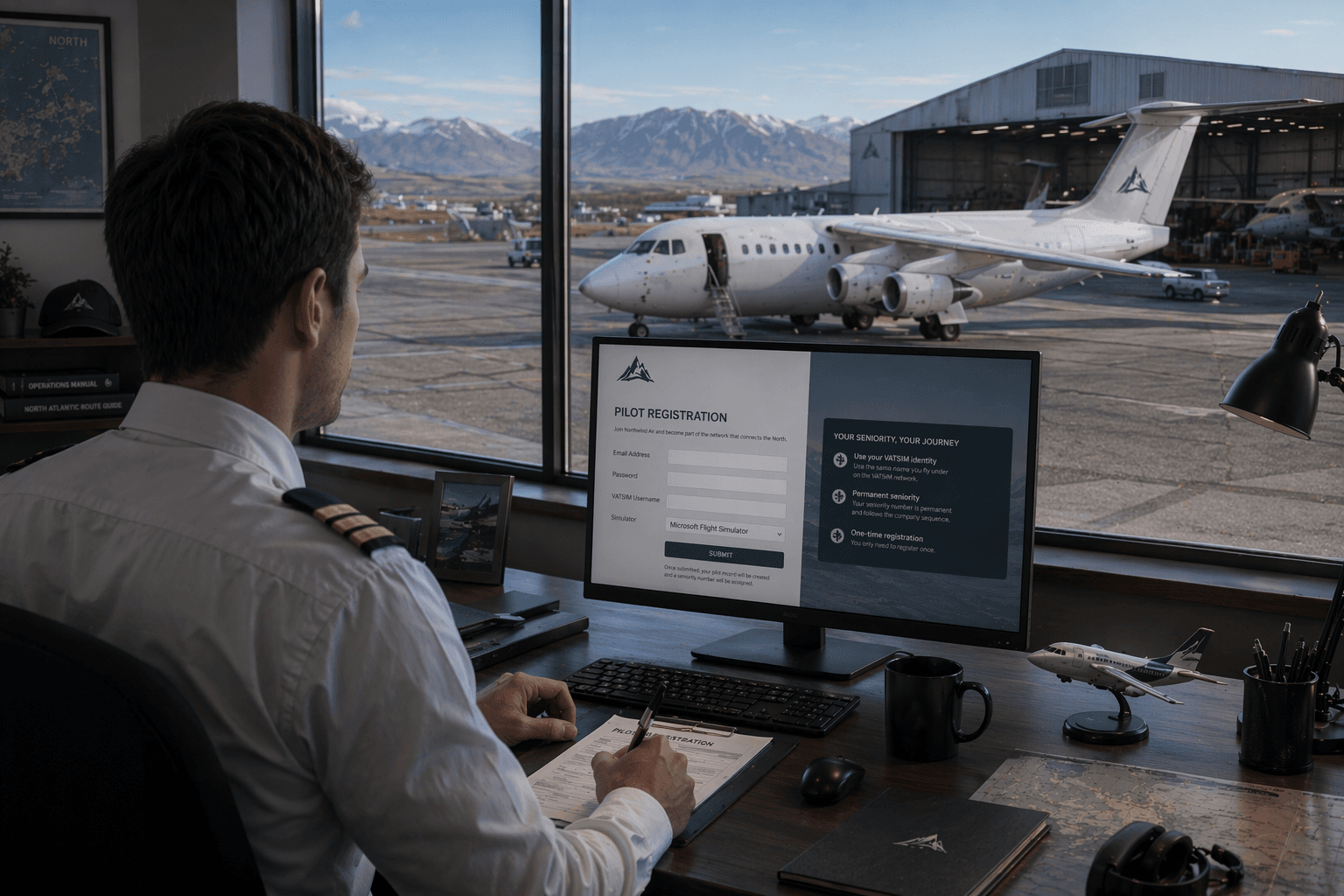
What Northwind expects from you

  • Northwind is board-driven. You do not free-pick random routes.
  • Aircraft are shared company assets, not personal hangar aircraft.
  • Your current airport matters. Your next flight starts where your last one ended.
  • Progression is earned per aircraft track, not unlocked all at once.

Step By Step

Start here and follow the flow in order.

Northwind Air pilot onboarding reference image
01

Create your pilot record

Open the registration page and fill in your email address, password, VATSIM username, and simulator choice. When you submit, Northwind creates your pilot record and assigns a permanent seniority number automatically.

  • Use the same VATSIM identity you actually fly under.
  • Your seniority number is permanent and follows the company sequence.
  • You only need to register once.
Northwind Air login reference image
02

Sign in and open Pilot Ops

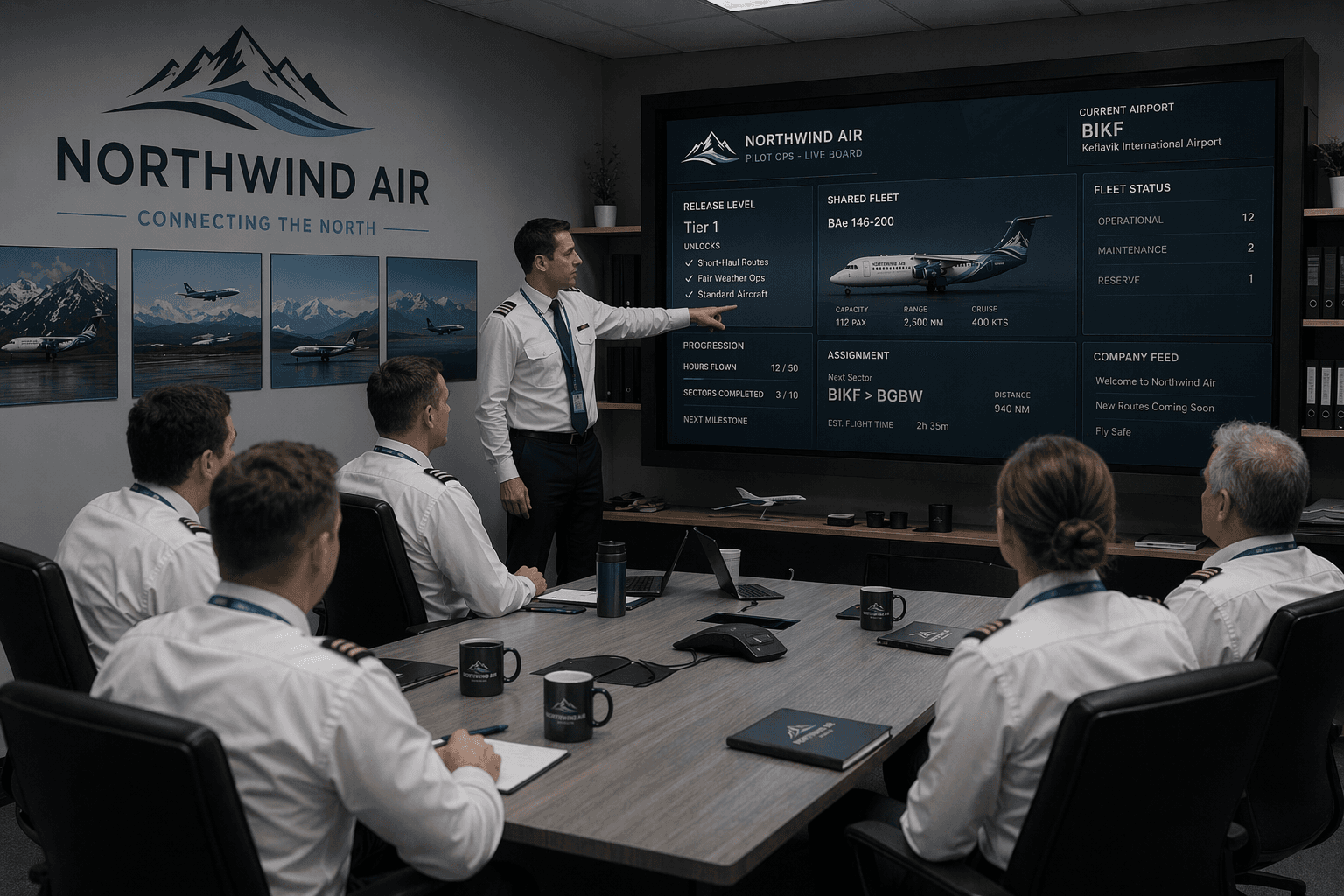
After registration, sign in and enter Pilot Ops. That is the live board. From there you will see your current airport, your release level, your progression, and the same shared fleet picture every other pilot sees.

  • A new pilot starts at BIKF.
  • A new pilot starts with Tier 1 release only.
  • The first assignments are realistic starter sectors, not the hardest airports in the system.

Pilot Ops

What each tab is for.

Dashboard

Your opening overview. Use it to confirm where you are, what your current release looks like, and what kind of work the company is ready to give you.

Dispatch Board

This is where you claim work. Open missions appear here first. If you are eligible, you click Start and the aircraft is held to your pilot account.

Current Assignment

Your active release lives here. Route, block time, payload, fuel note, and operational notes stay together until you either complete or release the trip.

Fleet Status

Shows the live company aircraft picture: location, availability, fuselage hours, cycles, and maintenance margin. This is the page that reminds you the fleet is shared and persistent.

Progression

Your type-specific release page. This is where you see what is unlocked now, what stripe level you are on, and what sectors you still need for the next level.

Pilot's Logbook

Your completed sector history. Use it to review flights completed, landings, logbook hours, recent monthly time, and the block time on each leg.

Preferences

Update your VATSIM number, simulator choice, and password without touching the rest of your account.

Operating Flow

How to claim, fly, and close a trip correctly.

03

Understand how progression and ranks open the map

Northwind does not hand a new pilot the full route map on day one. You begin on Tier 1 and build your release by completing sectors on the correct aircraft track. As your record grows, the board starts releasing more difficult airports, deeper cargo work, and higher-tier missions.

  • MD-80, BAe 146 passenger, and BAe 146 cargo each progress separately.
  • A higher stripe or rank means more of the company becomes available to you, one layer at a time.
04

Know the timers before you click Start

Open releases on the Dispatch Board expire after 3 hours if nobody claims them. Once you click Start, that aircraft is locked to your account for 12 hours so another pilot cannot take it out from under you.

  • If a route says you do not have enough experience, it is not released for your current level yet.
  • That does not mean the route is fake. It means Northwind has not cleared you for it yet.
05

Fly the route exactly as assigned

Once you take a release, load the route in your simulator and fly that specific leg. Use your own flight planning workflow, including SimBrief if you prefer, but follow the assigned aircraft, route, and operating picture from the board.

  • You are flying from your current airport, not teleporting around the map.
  • Payload and fuel notes are there to guide realism, not replace your normal sim planning tools.
06

Close the flight properly

After the leg is complete, go to Current Assignment. If you completed the flight, click Mark Done. That updates your logbook, progression, aircraft state, and company history. If you cannot operate the route, use Release Aircraft so the board can free the tail.

  • Release is not the normal finish. Mark Done is how progress is recorded.
  • Release Aircraft asks for confirmation because it cancels your hold on the trip.

Progression

Northwind release is earned by track.

Experience on one aircraft track does not automatically unlock another. That is one of the most important things to understand before you start.

MD-80 Track

Start on Tier 1. Reach six MD-80 sectors to unlock Tier 2, then continue building toward full practical MD-80 release across the easier and stronger parts of the network.

BAe 146 Passenger Track

This is your regional passenger path. It starts at Tier 1, then opens Tier 2, Tier 3, and finally Tier 4 remote work as you build sectors specifically in the BAe passenger role.

BAe 146 Cargo Track

Cargo progression starts with easy paved work, then regular domestic freight, then remote cargo, then special and outer-ring cargo. It does not unlock itself just because you flew passenger sectors.

What progression changes for you

As you complete more sectors, the board starts releasing harder airports, more demanding BAe passenger flying, deeper cargo work, and eventually special sectors that are not available to a brand-new pilot. The board is not random. It opens as your record earns it.

Fleet Recognition

Know the Northwind look before you step onto the board.

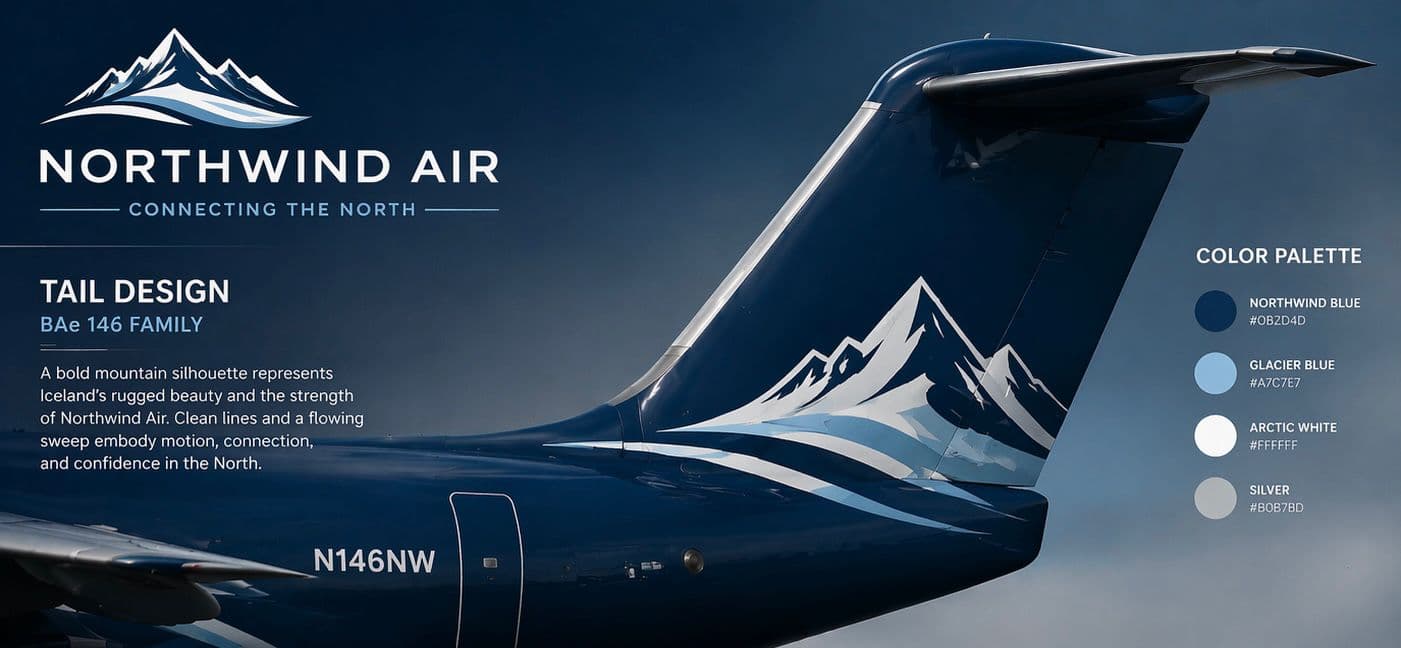
The fleet should feel familiar at a glance. The white forward fuselage, deep blue rear section, blue engines, and mountain tail mark are all part of one airline language across the MD-80 and BAe family.

Northwind Air BAe 146 tail design reference
Tail reference | mountain mark, clean geometry, blue engines, unified fleet paint language

Northwind Blue

#0B2D4D

Tail background, rear fuselage, engines, major dark areas

Arctic White

#FFFFFF

Forward fuselage, mountain silhouette, clean base color

Glacier Blue

#7AC7E7

Primary transition wave and movement accent

Light Ice Blue

#A7D3E8

Optional secondary transition layer only when needed

Silver / Neutral Grey

#B0B7BD

Small trim accents only, never dominant

Text Blue

#102A43

Titles, registrations, readable technical markings

First Day Checklist

If you only need the short version, follow this in order.

  1. Register your pilot account and keep your VATSIM identity accurate.
  2. Sign in and confirm your current airport, simulator, and seniority number.
  3. Open Dispatch Board and look for a route you are eligible to claim.
  4. Click Start only when you are actually ready to fly the assigned sector.
  5. Fly the leg in your simulator, then return to Current Assignment.
  6. Click Mark Done so your logbook, progression, and aircraft state update properly.
  7. Check Progression and Pilot's Logbook after each completed route so you always know what has unlocked next.

Final Step

Ready? Sign in now!

If the flow makes sense and you are ready to join the company board, go create your pilot record and step into Northwind the right way.

Ready? Sign in now!